Posts

Showing posts with the label workstation

Ardour Digital audio workstation

Image
Ardour Digital audio workstation Here is another audio editor equivalent to audacity. Main features according to Aurdour developers are: Unlimited audio tracks and buses Non-destructive, non-linear editing with unlimited undo Anything-to-anywhere signal routing Unlimited pre- and post-fader plugins 32 bit floating point audio path Automatic track delay compensation Sample accurate automation Standard file formats (BWF, WAV, WAV64, AIFF, CAF & more ...) Full AudioUnit plugin support on OS X More than 200 LADSPA & LV2 plugins freely available Support for Windows VST plugins available MIDI CC control with 1 click Level 2 MIDI Machine Control MIDI Timecode (MTC) Master or Slave Full integration with all JACK applications Video-synced playback, pull up/pull down Home page: www.ardour.org

Arch Linux 2017 Installation with Cinnamon Desktop and Apps on VMware Workstation

Image
Arch Linux 2017 Installation with Cinnamon Desktop and Apps on VMware Workstation Arch Linux 2017 Installation with Cinnamon Desktop on VMware Workstation This video tutorial shows Arch Linux 2017 Installation with Cinnamon Desktop on VMware Workstation/Player step by step. Well also install applications such as Firefox, VLC, GIMP, Gedit, Gnome Terminal, FileZilla and LibreOffice on Arch Linux 2017. This tutorial is also helpful to install Arch Linux 2017 on physical computer or server. Well also install and test VMware Tools (Open VM Tools) on Arch Linux for better performance and usability features such as Fit Guest Now, Drag-Drop File, Clipboard Sharing and Mouse Integration. Arch Linux 2017 with Cinnamon Desktop Installation Steps: Download Arch Linux 2017.03 ISO Create Virtual Machine on VMware Workstation/Player Start Arch Linux Base Installation Installing Xorg and Cinnamon Desktop Installing Firefox, VLC, GIMP, Gedit, Gnome Terminal, FileZilla and LibreOffice Applications o...

Arch Linux 2017 Installation with Enlightenment E17 Desktop on VMware Workstation

Image
Arch Linux 2017 Installation with Enlightenment E17 Desktop on VMware Workstation Arch Linux 2017 Installation with Enlightenment E17 Desktop on VMware Workstation This video tutorial shows Arch Linux 2017 Installation with Enlightenment (E17) Desktop on VMware Workstation/Player step by step. Well also install applications such as Firefox, VLC, GIMP, Gnome Terminal, FileZilla and LibreOffice on Arch Linux 2017. This tutorial is also helpful to install Arch Linux 2017 on physical computer or server. Well also install and test VMware Tools (Open VM Tools) on Arch Linux for better performance and usability features such as Fit Guest Now, Clipboard Sharing and Mouse Integration. Arch Linux 2017 Enlightenment (E17) Installation Steps: Download Arch Linux 2017.03 ISO Create Virtual Machine on VMware Workstation/Player Start Arch Linux Base Installation Installing Xorg and Enlightenment E17 Desktop Installing Firefox, VLC, GIMP, Gnome Terminal, FileZilla and LibreOffice Applications on A...

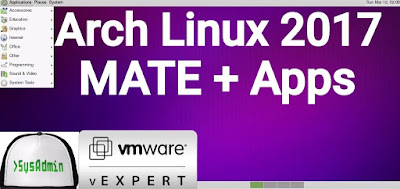
Arch Linux 2017 with MATE Desktop Installation and Apps on VMware Workstation

Image
Arch Linux 2017 with MATE Desktop Installation and Apps on VMware Workstation Arch Linux 2017 Installation with MATE Desktop and Apps on VMware Workstation This video tutorial shows Arch Linux 2017 with MATE Desktop and Review on VMware Workstation step by step. Well also install applications such as Firefox, VLC, GIMP, FileZilla and LibreOffice on Arch Linux 2017.03. This tutorial is also helpful to install Arch Linux 2017 on physical computer or server. Well also install and test VMware Tools (Open VM Tools) on Arch Linux for better performance and usability features such as Fit Guest Now, Drag-Drop File, Clipboard Sharing and Mouse Integration. Arch Linux 2017 with MATE Desktop Installation Steps: Download Arch Linux 2017.03 ISO Create Virtual Machine on VMware Workstation/Player Start Arch Linux Base Installation Installing Xorg and MATE Desktop Installing Firefox, VLC, GIMP, FileZilla and LibreOffice Applications on Arch Linux Installing and Configuring VMware Tools (Open VM ...

Arch Linux 2017 Installation with Budgie Desktop and Apps on VMware Workstation

Image
Arch Linux 2017 Installation with Budgie Desktop and Apps on VMware Workstation Arch Linux 2017 Installation with Budgie Desktop on VMware Workstation This video tutorial shows Arch Linux 2017 Installation with Budgie Desktop on VMware Workstation/Player step by step. Well also install applications such as Firefox, VLC, GIMP, FileZilla, Gedit and LibreOffice on Arch Linux 2017.03. This tutorial is also helpful to install Arch Linux 2017 on physical computer or server hardware. Well also install and test VMware Tools (Open VM Tools) on Arch Linux for better performance and usability features such as Fit Guest Now, Drag-Drop File, Clipboard Sharing and Mouse Integration. Arch Linux 2017 with Budgie Installation Steps: Download Arch Linux 2017.03 ISO Create Virtual Machine on VMware Workstation/Player Start Arch Linux Base Installation Install and Configure Xorg and Budgie Desktop Installing Firefox, VLC, GIMP, FileZilla, Gedit and LibreOffice Applications on Arch Linux Installing and ...